

Hello,
this is a copy+paste of a discussion I posted on Reddit a couple of days ago.
For those 4 of us who are using or are going to use the new Steam Controller under GNOME Wayland, you are probably aware that Steam is a X11 application running on a Xwayland layer, and when the Steam Controller driver tries to access to the mouse control, the Wayland desktop raises the permission request to the user.
Therefore you will be greeted by this popup window here any time you turn the Steam Controller on:
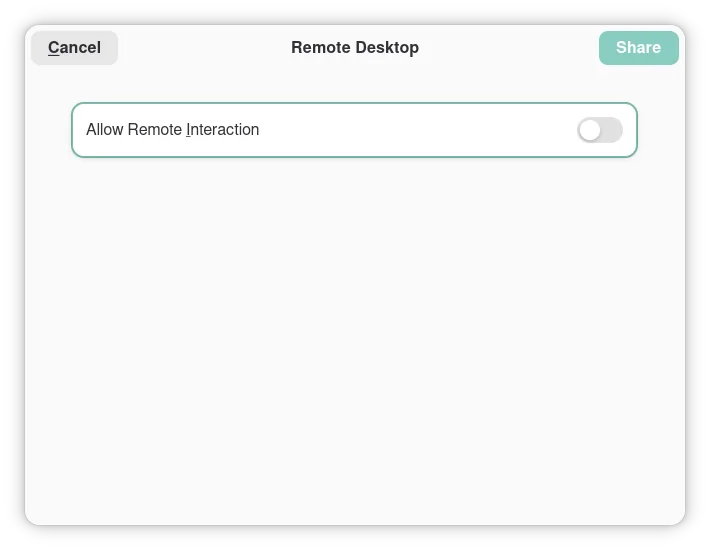
By allowing the Remote Interaction, the Desktop behaviour of the Controller will work. If you, like me, consider this popup window annoying, consider the preload of the library Extest (https://github.com/Supreeeme/extest), which would provide an override to that permission flag when required.
The real solution would be to GNOME to enable a persistence of the permission settings for specific apps, or to Steam to move to a Wayland app. You all 3 know that neither of them would happen in the next 10 years at least.
By confronting with people in the comments, I found out that the same issue happens on other Wayland DEs such as Plasma, even though Plasma has a central option to turn off the permissions check, but the OS heavily recommends that you don’t turn it on due to it being a potential security vulnerability (because it is). A better solution could be to keep the same permission settings for a count of executions of the same application, or with a time limit.
I assume you say “the 4 of us” not because of GNOME, but because you are only 4 people who were so lucky to get their hands on one of those controllers
Both. It’s an intersection.
I’m running KDE and get this permission popup too. I’m not so familiar with x11 or Wayland stuff quite yet, so I’m not sure i ever would have figured this out. Thanks for the info!
I’m 2/4, thanks for the solution! I’ll try it later
Recently moved off manjaro to catchy, and in the same breath, from gnome back to plasma/kde. I still get these pop ups even with my Xbox series controllers. This is also my first time using Wayland. Kinda sucks tbh. Also annoyed any time I boot all my previously opened windows open in the center of the screen on login.
Thank you for this, I was researching it again recently
5, we’re 5.
6!!
48?
!The double exclamation mark notation in math means 6!! = 6 * 4 * 2!<
Perfect for pancakes or for gaming snacks, haha.
@LordDaveTheKind That link just gives me a white screen with the small text “not found”.
As for the steam controller: I will be running that under gnome wayland, but given the link is dead you might want to elaborate why an extra lib would be necessary
The link works for me.
The readme from the repo:
Extest - X11 XTEST Reimplementation for Steam Controller on Wayland
Extest is a drop in replacement for the X11 XTEST extension. It creates a virtual device with the uinput kernel module. It’s been primarily developed for allowing the desktop functionality on the Steam Controller to work while Steam is open on Wayland. Usage
Be sure you have Rust installed. You will also need to install a 32 bit Rust toolchain.
rustup target add i686-unknown-linux-gnu cargo build --release
This will create a library named libextest.so in target/i686-unknown-linux-gnu/release. Note that this library is 32 bit by default because Steam is a 32 bit application.
You will also need to add your user to the input group if not added already, so that your user can be allowed to actually create fake devices:
sudo usermod -a -G input <your username>You can then use LD_PRELOAD to override any app that wants to use XTEST functions that have been reimplemented by Extest. >Example:
LD_PRELOAD=/path/to/libextest.so steam
The repository also comes with a script to automatically override Steam’s desktop file so that whenever you launch Steam from the desktop file (i.e. via desktop icon or application menu) Extest will be automatically preloaded. Just run it like so:
./override_steam_desktop_file.sh


